







OpenPGP encryption for iPhone, Android and desktop
OpenPGP for iOS and Android. Now you can generate your key on the card itself:
born on a YubiKey 5 or Token2 over NFC or USB-C, the private key never touches the phone. Full
hardware-key card management, passphrase-only encryption, and a read-only pass viewer come with it.
The cryptography is open source. No accounts. No tracking. Your keys never leave your device.
Free. Open source on Android and desktop, open crypto core on iOS. Works with GnuPG.
Screenshots
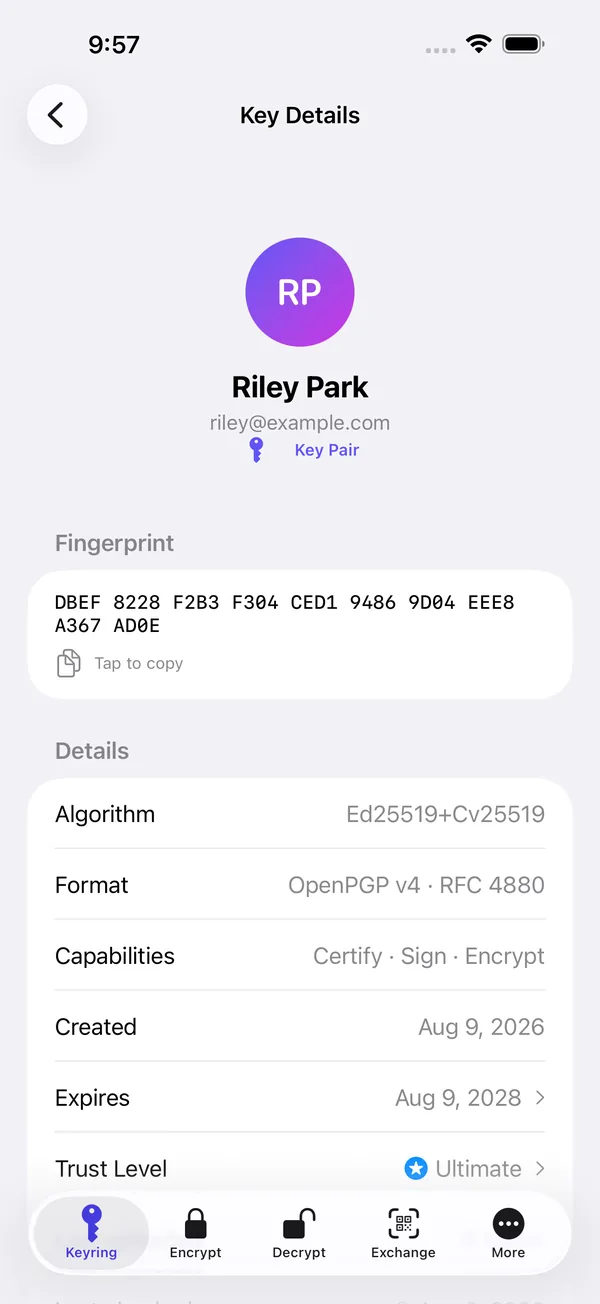
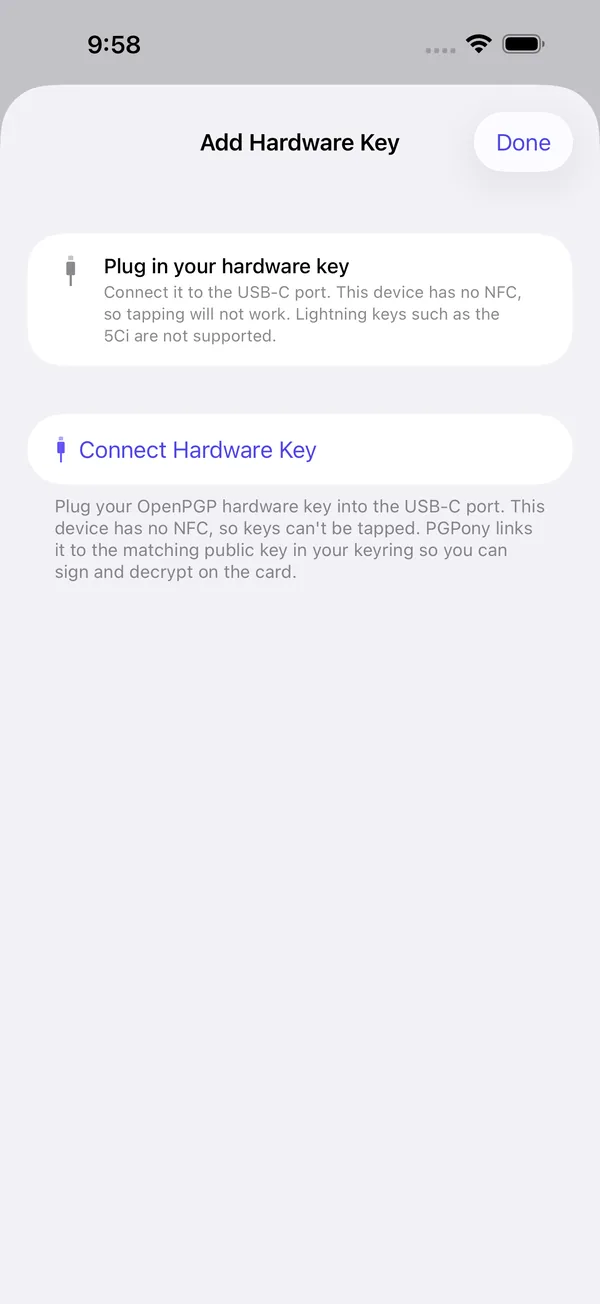
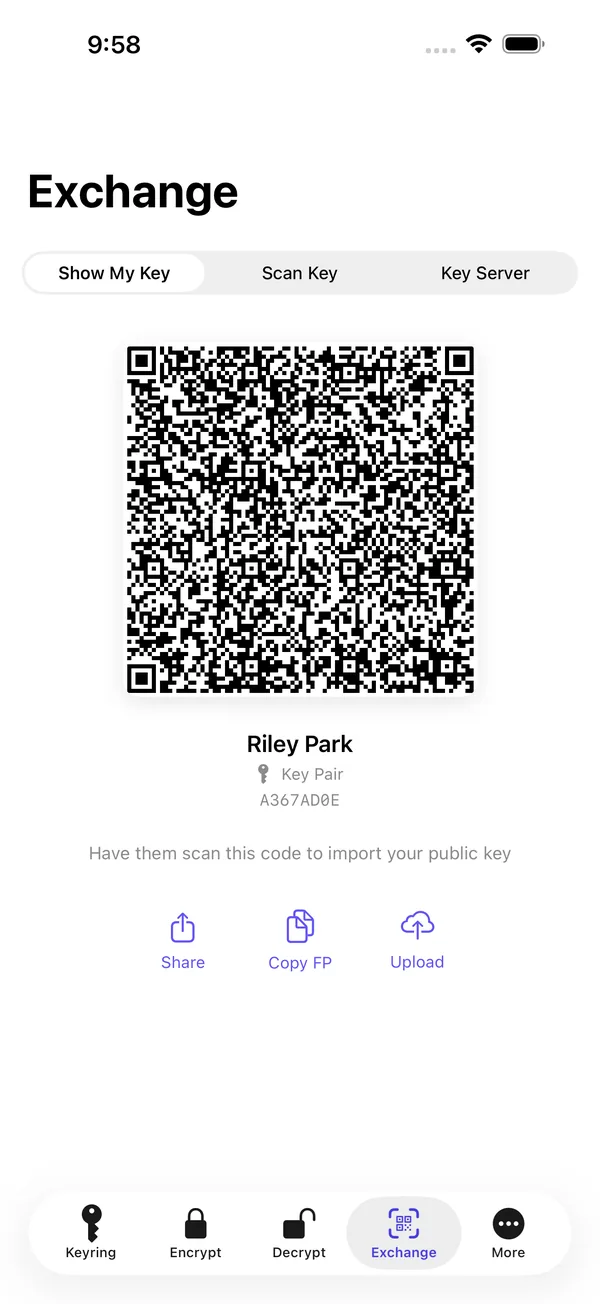
How it works
PGP has confused new users for 30 years. PGPony does not.
Generate a key pair
One tap. You get a public key to share with anyone, and a private key that never leaves your device.
Share your public key
QR code, .asc file, clipboard, or publish to keys.openpgp.org. All four methods are one tap.
Import their public key
Scan their QR, paste their armored block, or look them up via WKD by email. Now you can write to them.
Encrypt and send
The result is safe to copy into any chat, email, or text. Only the recipient's private key can open it.
Features
Five tabs on iOS, six on Android. Every tool you need, no bloat.
Keys and hardware
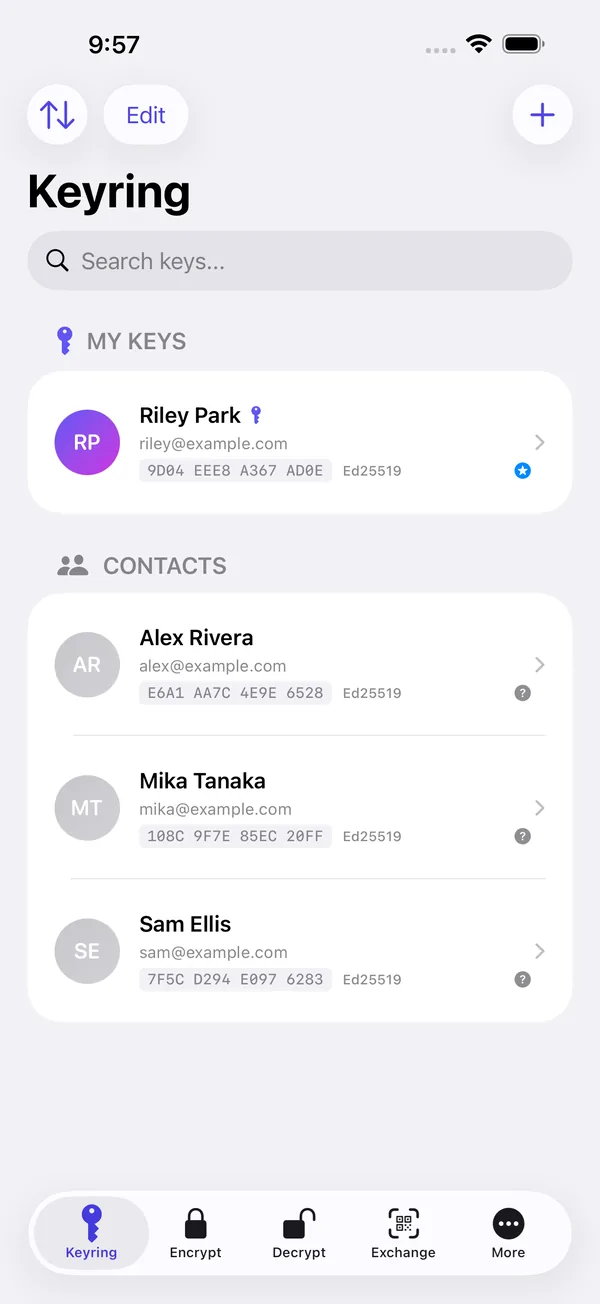
- Keyring
- Generate modern OpenPGP v6 (RFC 9580) or classic v4 key pairs (Ed25519 + X25519/Cv25519), or import existing GnuPG/OpenKeychain keys. RSA and DSA supported for legacy interop.
- Hardware security keys
- Pair an OpenPGP smartcard (YubiKey 5 series or Token2) over NFC or USB-C and sign, decrypt, and encrypt-and-sign with a key that never leaves the card. Authorized by your card PIN.
- On-card key generation
- Generate a fresh Ed25519 + Curve25519 keypair directly on the card over NFC or USB-C. The private key is born on the token and never touches the phone.
- Card management
- Change the admin and user PINs, unblock a locked PIN, and factory-reset a card, over NFC or USB-C, right from the app.
- OpenPGP v6 and SEIPDv2
- Authenticated encryption (AEAD-OCB) for v6 recipients, with SHA-256 fingerprints and Argon2 passphrase protection. PGPony picks v6 or v4 automatically so older contacts still work.
- QR key exchange
- Turn your public key into a QR code. The other person scans it. No typing, no copy-pasting, no email round-trips.
- WKD and key servers
- Look up any key by email via Web Key Directory, served by the recipient's own mail domain. Falls back to keys.openpgp.org.
- Expiration reminders
- Local notifications at 30, 7, and 1 day before any key expires, and on the day itself.
Encrypt and decrypt
- Encrypt
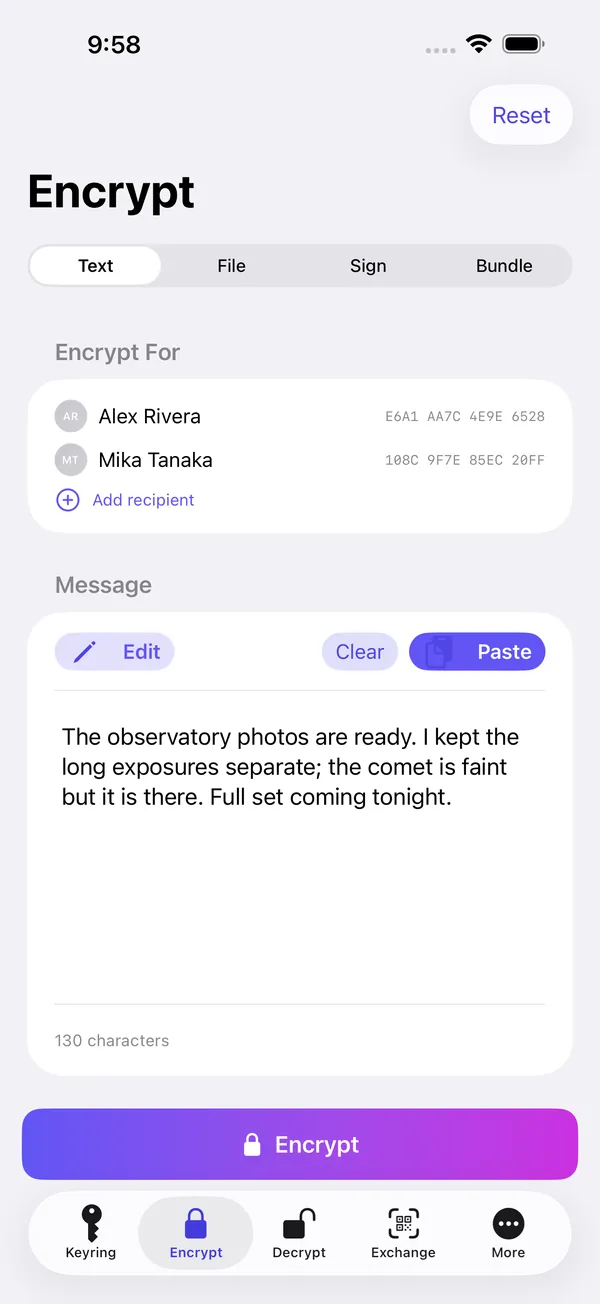
- One or many recipients. SEIPDv2 authenticated encryption for v6 keys, ASCII armor for chat, binary for attachments. Optional signing in the same step, clear-signed or detached.
- Decrypt and verify
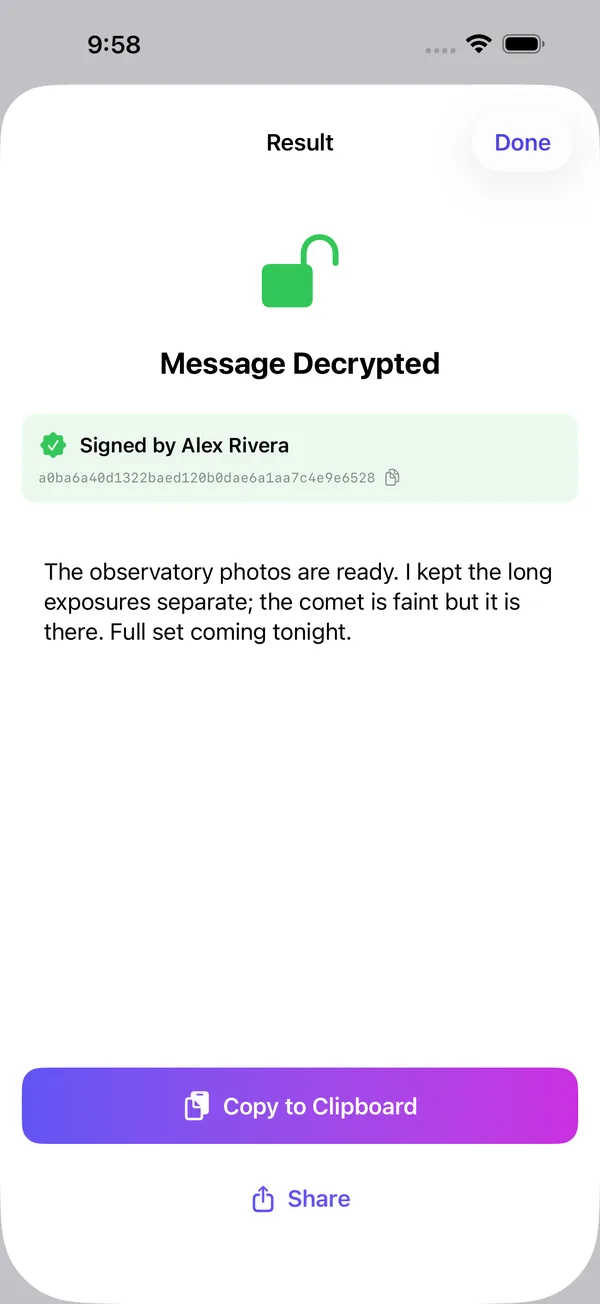
- Paste armored text or share an .asc / .pgp / .gpg file from any app. Signature verification is automatic.
- Passphrase encryption
- Encrypt with just a passphrase,
gpg -cstyle, no keypair required. Good for sealing a file for yourself or sharing a secret over a channel you both already trust. - Share extension
- Encrypt or decrypt from any app (Mail, Files, Messages) without opening PGPony. Tap Share, pick PGPony, done.
- pass store viewer
- Browse and decrypt your existing
pass(password-store) entries, hardware-key-backed. Read-only and on-device.
Privacy and everyday use
- Biometric lock
- Face ID, Touch ID, Optic ID, or fingerprint. Optional second prompt before every decryption.
- Auto-clear clipboard
- A configurable countdown clears decrypted text from the clipboard automatically.
- Contacts integration
- Match imported PGP keys to your iOS / Android contacts by email. Photos and names fill in.
- iCloud sync (iOS)
- Optional. End-to-end encrypted by Apple, readable only on devices signed into your iCloud account. Off by default.
- Eleven languages
- English, Deutsch, Español, Français, 日本語, 한국어, Português (Brasil), Русский, Türkçe, Українська, 简体中文. Detected from your device on first launch. Korean, Turkish and Ukrainian reach iPhone in the next update.
Open source
PGPony's OpenPGP core is open source on both platforms under Apache-2.0, and on Android the entire app is public.
The Android source is the same source the official F-Droid build is made from. Read the parser, the packet builder and the key generation yourself: the same code that seals your messages is yours to audit. The full story.
- PGPonyAndroid
The full Android app, in Kotlin
- PGPonyCore
The iOS crypto core, in Swift
- PGPonyCore-Kotlin
The Android crypto core, in Kotlin
- PGPonyDesktop
The macOS, Windows and Linux app
Try it in your browser
The Playground runs six OpenPGP tools entirely in your browser. The page's security policy blocks every third-party request, so nothing you type ever leaves your machine. Same algorithms as the app, powered by OpenPGP.js.
keys.pgpony.app
Publishing a key shouldn't mean handing your address to a scraper. keys.pgpony.app only attaches an email to a key after its owner clicks a confirmation link, and it serves keys with no identities at all until then. Speaks HKP and VKS, so GnuPG and every other client just work.
- Keys published
- 3216
- Verified identities
- 1214
gpg --keyserver hkps://keys.pgpony.app \
    --recv-keys FINGERPRINT
The board
Report a bug, request a feature, or ask a question. Post anonymously, or sign your post with your PGP key and the server verifies the signature itself. A verified key earns a louder vote. That's the whole identity system.
- Add other keyservers
Features · 1 reply
- Verification of Signature from clipboard
Features · 1 reply
- GPG key on card via USB
Features · 3 replies
- On-Device Key Generation and Import
Features · 3 replies
Verify it yourself
Every privacy claim on this page is either verifiable or worthless. So here are the receipts: a signed canary that expires if it isn't renewed, and mirrors that don't route through us at all.
- Warrant canary
A PGP-signed statement, renewed monthly, carrying a recent Bitcoin block hash as proof of freshness. If it ever goes stale or stops being signed, that silence is the signal. Verify it yourself with GnuPG.
- Onion mirror
The whole site, the board, and the keyserver over Tor: no exit node, no DNS, no IP address handed to anyone.
pgponyisur7gxcrfw5ofpjr2sepqul3zgbs66rrd3ughk5qvi4a3t5id.onion - No third parties
No analytics. No CDN. No trackers. No fonts loaded from someone else's server. The privacy pages describe what the code does, and the code is open.
Who it's for
- Journalists
- Receive encrypted tips on your phone. Decrypt with biometrics. Keys stay on-device, even if your laptop is seized.
- Activists
- Coordinate without trusting a single messaging app. PGP travels over any channel: email, SMS, even a public forum post.
- Developers
- Read encrypted email or signed commits from a coffee shop. Full GnuPG interop: bring your existing key, sign and verify from your phone.
- Sysadmins
- Decrypt config files and passwords shared by your team without unlocking a laptop. Share Sheet handles it in three taps.
- Legal and medical
- Send and receive client / patient information with mathematically enforced confidentiality. No vendor in the middle.
- Everyone else
- You don't need a reason to want your messages to be unreadable to anyone but the recipient. PGPony makes it free and simple.
Privacy
Stays on your device
- Private keys (iOS Keychain / Android Keystore)
- Passphrases (never stored at all)
- Plaintext messages before encryption
- Decrypted message contents
- Your contact list
- App preferences and settings
What touches the network
- Optional WKD lookup: hits the recipient's mail domain
- Optional HKP search: hits keys.openpgp.org over TLS 1.3
- Optional iCloud Keychain sync: Apple end-to-end encrypted
- App Store / Play Store update checks (handled by the OS)
That's the whole list. Every network feature is opt-in and clearly labeled. There is no analytics SDK, no telemetry, no crash reporter, no advertising ID.
- No account
- You never sign up for anything. There is no "PGPony account." There is no server with your data on it.
- No tracking
- Zero analytics. Zero telemetry. Zero ad SDKs. Verify it yourself in iOS Settings, Privacy & Security, App Privacy Report.
- No vendor lock-in
- PGPony speaks the OpenPGP standard. Export your keys at any time and use them in GnuPG, Thunderbird, OpenKeychain, anywhere.
Technical details
A real OpenPGP implementation, not a wrapper around a black box.
- OpenPGP v4
- RFC 4880 + draft-koch-eddsa-for-openpgp (full support)
- OpenPGP v6
- RFC 9580, full: generate, encrypt (SEIPDv2), sign, decrypt, verify
- ECDH
- RFC 6637 (Curve25519 / X25519)
- Key wrap
- RFC 3394 (AES-KW)
- Argon2id
- RFC 9106 (v6 secret-key S2K, generate & parse)
- AEAD-OCB
- RFC 7253 (SEIPDv2)
- WKD
- draft-koch-openpgp-webkey-service-15
- Post-quantum
- RFC 9980 (PQC in OpenPGP): ML-KEM composite encryption, ML-DSA composite signatures
- ML-KEM
- FIPS 203 (key encapsulation)
- ML-DSA
- FIPS 204 (signatures)
- X448 / Ed448
- RFC 7748 / RFC 8032 (classical halves of the 1024 / 87 composites)
- LibrePGP PQC
- draft-koch-librepgp (GnuPG 2.5 Kyber keys, read & write)
- Signing
- Ed25519 (v4 algo 22; v6 algo 27, sign & verify)
- Encryption
- Cv25519 (v4 algo 18); v6 X25519 (algo 25), encrypt & decrypt via SEIPDv2
- Symmetric
- AES-256 in AEAD-OCB (SEIPDv2) or AES-GCM
- Hash
- SHA-256, SHA-512 (v6 fingerprints are SHA-256)
- PQ encryption
- ML-KEM-768 + X25519 (algo 35) and ML-KEM-1024 + X448 (algo 36), encrypt & decrypt; LibrePGP ML-KEM-768 + Cv25519 (algo 8) for GnuPG 2.5. Desktop: ML-KEM-768
- PQ signing
- ML-DSA-65 + Ed25519 (algo 30; iPhone needs iOS 26); ML-DSA-87 + Ed448 (algo 31) on Android, iPhone next
- Legacy
- RSA, DSA: read & import only, for interop
- iOS
- Keychain + Secure Enclave (every iPhone since 5s)
- Android
- Android Keystore (hardware-backed where available)
- Hardware key
- OpenPGP smartcard (YubiKey 5 series, Token2) over NFC or USB-C; key stays on the card, authorized by PIN
- App Group
- group.com.pgpony.shared, for Share Extension access
- Biometric
- LocalAuthentication / androidx.biometric
- iCloud
- Optional iCloud Keychain sync, end-to-end by Apple
- Ed25519 keys
- Import & export, round-trips through
gpg - Cv25519 byte order
- BE MPI to LE on import (the gotcha that breaks most impls)
- AEAD tag 20
- 5-byte AAD, GnuPG-compatible chunkSize
- Issuer FP
- Subpacket type 33 included in v4 sigs
- S2K
- Iterated & salted (v4); Argon2id (v6, generate & parse)
- v6 verification
- Output round-trips with Sequoia (
sq) and the RFC 9580 Appendix A test vectors
- iOS
- Swift / SwiftUI, ObjectivePGP, Apple CryptoKit
- Android
- Kotlin / Jetpack Compose, Bouncy Castle (bcpg-jdk18on)
- Native parser
- Hand-rolled OpenPGP packet parser & builder, auditable
- Tests
- Round-trip suite vs
gpg --version 2.4.x
- WKD
- Advanced method first, direct fallback
- HKP
- keys.openpgp.org over TLS 1.3 minimum
- Search
- By email, 16-char key ID, or 40/64-char fingerprint
- Upload
- Publish your public key to keys.openpgp.org (opt-in)
Compared with Signal, ProtonMail and other PGP apps
Different tools for different threats. Here's where PGPony fits.
| PGPony | Signal | ProtonMail | iPGMail | OpenKeychain | |
|---|---|---|---|---|---|
| OpenPGP standard | Yes: v4 full, v6 (RFC 9580) full | No | v4 | v4, v6 (RFC 9580) | v4 |
| Hardware security keys (NFC / USB-C) | YubiKey 5, Token2 | No | No | No | Yes |
| On-card key generation | Yes | No | No | No | No |
| Open-source crypto core | Apache-2.0, both platforms; full app on Android | Yes | Clients | No | Yes |
| iOS + Android | Both | Yes | Yes | iOS only | Android only |
| Works over any channel | Yes | Signal only | Email only | Yes | Yes |
| No account required | Yes | Phone number | Email signup | Yes | Yes |
| Bring-your-own GnuPG key | Yes | No | Yes | Yes | Yes |
| QR code key exchange | Yes | Safety number | No | No | Yes |
| WKD lookup | Yes | n/a | Yes | No | No |
| Share Sheet / intent | Yes | No | No | Yes | Yes |
| Biometric lock | Yes | Yes | Yes | Yes | Passphrase |
| No analytics, ever | Yes | Yes | Yes | Yes | Yes |
| Price | Free | Free | Freemium | Paid | Free |
Signal and ProtonMail are excellent at what they do. PGPony fills a different niche: portable, channel-agnostic, standards-based encryption you control end to end. All comparisons
Reviews
From users. See all reviews or leave one.
Best PGP software that I have ever used. I have been looking for PGP software that fully support PQC algorithm for a long period of time. Only PGPony meet my requirements, and it is easy to use and cross platform. Plus the duress pin in the latest version is really helpful.
Fantastic little PGP app for iOS, this was a much-needed app for me, personally, as all of the available options on my iPhone were totally outdated, abandonware garbage. This is actively updated and I can check the codebase myself.
Seems like a really great product; easy to use, i love the dev's ethos, app has possibly the cleanest / my favorite UI compared to apps with similar functionality. However, 1. I wish it was a one-stop crypt app w/ stenography options on the roadmap and alternatives to PGP for encryption. 👑 2. Merging all functionality from the dev's other app AgePony would streamline into a fantastic suite single app. ☝️ 3. Unfortunately, without being open sourced it can never be used seriously, or by the people in danger who need it most, even with an audit. ⚠️ 4. Only being available on official app stores is similarly confusing and disappointing. 💔 💰 With a weirder set of encryption options as a suite, I would feel comfortable with a one time license to unlock advanced features / add modules.. IF it was an open source suite via apk direct download.
The best place to review is your app store: App Store · Google Play
Questions
Is this really end-to-end encrypted?
Yes. Encryption happens locally on your device using your recipient's public key. Only the holder of the matching private key can decrypt the result. PGPony has no server in the path and no way to read your messages.
Is there a desktop version?
Yes. PGPony for Desktop runs on macOS 11 or later (Apple silicon and Intel), Windows 10 or later (x64), and Linux on x86-64 and ARM64 (.deb, AppImage, a portable tarball, and the AUR). It encrypts, decrypts, signs and verifies messages and files, handles post-quantum keys and hardware security keys over USB, finds keys through WKD and key servers, makes encrypted backups, and has a command-line interface. Like the phone apps it's free, and it's open source under Apache-2.0 at PGPonyDesktop. Downloads are on the desktop page.
Can I use my existing GnuPG key?
Yes, that's the whole point. Import your existing OpenPGP key (Ed25519, Cv25519, RSA or DSA, or a post-quantum key made by GnuPG 2.5) and it works with gpg in both directions. Encrypt on your phone and decrypt on your laptop, or the other way around.
What happens if I lose my phone?
Your keys live on your devices, not on a server, so a lost device takes its keys with it unless you have a backup. Encrypted backup is built into PGPony on iPhone, Android and desktop: make one after you create or import a key, and keep it somewhere off the device (a password manager, an encrypted USB drive, another computer). On iPhone, iCloud Keychain sync can carry your public keys to a new device, but from 8.3.0 on your secret keys never leave the device, so the backup is what restores them. If your private key lives on a hardware security key, it was never on the phone in the first place. With no backup and no card, the key and anything encrypted to it are gone. That's the trade-off of encryption nobody else can open.
How does PGPony compare to Signal?
Signal is the best secure messenger there is, but it only works inside Signal. PGPony encrypts any text or file, which you can then send through any channel: email, SMS, Slack, a paste site, a public forum. Use Signal for everyday chat. Use PGPony for everything else.
Why PGP / OpenPGP? Isn't it old?
The standard is old (RFC 4880 is from 2007), but it's also open, portable, and still evolving. RFC 9580 (2024) modernized the whole stack with Ed25519, X25519, SEIPDv2 authenticated encryption (AEAD-OCB), and Argon2, and post-quantum keys are now being added on top. PGPony supports all of it: full v4 (generate, encrypt, sign, decrypt, verify), full OpenPGP v6, and post-quantum composite keys.
Does PGPony support OpenPGP v6 (RFC 9580)?
Yes, fully. You can create OpenPGP v6 keys (an Ed25519 primary with an Ed25519 signing subkey and an X25519 encryption subkey), encrypt to v6 recipients with SEIPDv2 authenticated encryption, and sign and verify with v6 keys. A picker on the Generate screen lets you choose v6 or classic v4. PGPony's v6 output has been verified against Sequoia (sq), a reference RFC 9580 implementation, and against the official RFC 9580 Appendix A test vectors.
Does PGPony support post-quantum encryption?
Yes. PGPony can generate and use composite post-quantum keys, which pair ML-KEM (the NIST post-quantum key-exchange standard) with a classical X25519 or X448 key, so a message stays protected as long as either half holds. ML-KEM-768 and ML-KEM-1024 work on iPhone and Android, and the desktop app handles ML-KEM-768. Post-quantum signatures (ML-DSA-65 + Ed25519) work on Android and on iPhone with iOS 26. Android also has ML-DSA-87, with iPhone and desktop following. Support in other OpenPGP apps is still thin, so keep a classical key for anyone who isn't on PGPony or GnuPG 2.5.
Is PGPony compatible with GnuPG?
For v4 keys, yes, byte-exact and verified against gpg 2.4.x. PGPony also exchanges post-quantum keys and messages with GnuPG 2.5. v6 keys and v6-encrypted messages interoperate with RFC 9580 implementations such as Sequoia, but GnuPG does not implement RFC 9580 v6, so a v6 key or message won't work with GnuPG today. The rule of thumb: choose v6 for the most modern crypto and Sequoia-class interoperability; choose v4 if you need to exchange with GnuPG users right now.
What's the difference between v4 and v6 keys?
v6 (RFC 9580) modernizes several things over v4 (RFC 4880): fingerprints use SHA-256 instead of SHA-1; messages use SEIPDv2 authenticated encryption (AEAD-OCB), which cryptographically detects tampering, instead of v4's bolt-on MDC; Ed25519 and X25519 are represented natively without the legacy OID wrapping v4 needed; and secret keys can be protected with memory-hard Argon2. v4 remains the most broadly compatible format, and it's the one GnuPG users can exchange with today.
Does PGPony support hardware security keys like YubiKey?
Yes. PGPony uses an OpenPGP smart card for private-key operations (sign, decrypt, encrypt-and-sign, and editing key expiration), with the private key never leaving the card. Each operation is authorized by your card PIN. On iPhone the card connects over NFC or USB-C (Lightning keys such as the YubiKey 5Ci aren't supported), on Android over NFC or USB, and on desktop over USB. Cards holding ECC (Ed25519 and Curve25519) or RSA keys both work. You can change the card PIN from the key's detail screen, and signed messages decrypted on a card show a verified-signer badge. Hardware-key support was validated end to end on YubiKey 5 NFC and Token2, cross-checked with GnuPG.
Can I generate a key directly on my YubiKey?
Yes. PGPony can generate a fresh Ed25519 + Curve25519 keypair on the card itself, so the private key is created on the token and never exists on your device. This is the strongest form of hardware-key protection: there is no on-device copy that could leak. You can still import an existing key to a card if you prefer, and full card management (admin PIN change, unblock a locked PIN, factory reset) is built in.
Is PGPony open source?
Mostly, yes. The Android app and the desktop app are open source in full under Apache-2.0: PGPonyAndroid (the same source the F-Droid build is made from, and every release rebuilds byte for byte) and PGPonyDesktop. The cryptographic core is also public as a standalone library for both phone platforms: PGPonyCore (Swift) and PGPonyCore-Kotlin (Kotlin), covering key generation, the OpenPGP packet parser and builder, and the encryption and signing paths. On iOS, the app shell around the core (UI and platform glue) stays closed, but the code that seals your messages is public. See the open-source page.
Does it cost anything?
No. PGPony is free on iPhone, Android and desktop. No subscriptions, no in-app purchases, no ads, no upsells. It's made by one independent developer who thought PGP deserved better apps.
What does Biometric Lock actually protect?
It stops anyone who picks up your unlocked phone from opening PGPony without authenticating. It does NOT add cryptographic protection to your keys; they're already encrypted at rest by the OS. There's also an optional second prompt before every decryption, for high-stakes situations.
Does PGPony send any data to a server?
Your messages, files and private keys never leave your device. What does touch the network is key handling: WKD lookups query the recipient's own mail domain, key search and upload go to the key servers you have enabled (keys.openpgp.org, and our own keys.pgpony.app, which logs requests without IP addresses or query strings), and automatic key refresh sends the fingerprints of the keys you hold to those servers so revocations reach you. Refresh is on by default on iPhone and in the Google Play build, and you can turn it off. On iPhone and Android, Offline mode blocks every network request. iCloud Keychain sync on iPhone is optional and uses Apple's end-to-end encrypted keychain. The apps contain no analytics SDKs, no crash reporters, and no advertising IDs.
Download PGPony
Free. No accounts. No tracking. Works with everything that speaks OpenPGP.
This site is also a Tor onion service and an I2P eepsite. Same pages, no exit nodes, no logs, reachable even from networks where pgpony.app is blocked. The onion address is its own cryptographic proof you reached the real site. View the addresses